

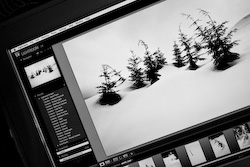
During this weekend workshop Syx will introduce you to Adobe Lightroom 4 software specifically developed for today's digital photographers.
In this 2 day workshop, we'll cover the entire Lightroom workflow including capturing, cataloging, sorting, editing, developing and outputting your images.
This workshop is designed as an introduction to Lightroom 4 (but you can also use Lightroom 2 and 3). If your skills are more advanced please check the detailed topic list below or contact us to determine whether this workshop is right for you.
We will navigate our way through lightroom from capture to import, sharing to printing while demonstrating 'real life' complete workflow. This demonstration will also include white balance, camera calibration, retouching as well as creating slideshow & online gallery of our images and a discussion on printing through Lightroom.
The shoot will be an excellent starting point to discuss camera set up and metadata as well as basic camera function. Each student will have the opportunity to create images to later import and work on them within Lightroom. From capture to import, editing and sharing, we'll explore the powerful integration of lightrooms workflow and discuss how this is going to benefit each an every photographer in mulitple senerios.
*Please Note: Participants need to bring a computer (Mac or PC, Laptop or Desktop) loaded with Adobe Lightroom Software. You can download a 30 day trial for free at www.adobe.com. It is recommended to upgrade to the latest version, so please check what you are currently using.*
In Library we will cover:
- File handling
- Metadata
- Keywording
- Exposure
- Presets
In Develop we will cover:
- Histogram
- White balance
- Recovery
- Clarity
- Noise
- Tone curves
- Color correction
- Grayscale conversion
In Slideshow we will cover:
- Templates
- Layout
- Overlays
- Backdrop
- Playback
- Adding sound
- Exporting a slide show
In Print we will cover:
- Image selection
- Layout options
- Printing modes
- Print sizes
In Web we will cover:
- Web galleries
- Web templates
- Output settings
- Image settings
*Please note: Time permitting, we'll also show you how to work with Photoshop CS4 and Lightroom together.*

Level:
Beginner/General Interest. Basic photography knowledge recommended.
Enrollment:
Maximum 14 participants.

Equipment Needed:
Bring your digital camera (must have manual controls) and at least 1 lens.
Card Reader (To transfer images to your computer.)
Laptop or Desktop Computer with Adobe Lightroom software installed.
We Provide:
Detailed course notes in binder.
All lighting equipment and professional models when shooting in a professional studio setting as part of this course.

Early-Bird Discount:
Most of our courses and workshops offer a 10% discount is applied automatically if you register before the Early-Bird Discount deadline date listed in the registration table below.
Some courses and workshops offer a discount if you're among the first 3 people who register. This discount will replace the 'standard' Early Bird Discount mentioned above, and will be applied automatically during the online registration process (as long as it is available). Check the course/workshop listing page for more details.
Group Discount:
A 5% discount will be appplied if 3 or more people register at the same time for the same workshop. (All 3 tuitions must be paid for by one credit card to be considered a group registration.) Please follow the instructions on the online registration page.

In order to provide the best learning environment possible VPW keeps class and tour sizes limited to 10-15 people (depending on the workshop). This is but one reason that we count on you to attend your chosen class or tour, once you have registered for it.
If you must withdraw for any reason please be aware of our refund policy as follows:
For our Local Lectures, Seminars, and Workshops valued at or under $100, VPW is unable to provide a cash refund. Transfers are limited to one transfer to either the same event at a later date, or a different event of equal value. VPW requires 48 hours written notice in order to make such a transfer (email notice is acceptable). The event you are transferring to must occur within 6 months of the original event you registered for. A $15 fee will be applied to all transfers.
For our Local Workshops, 1 to 5 days in length and our Local 4 to 10 Week Courses, VPW requires 30 days written notice (before the event start date) of your withdrawal in order to provide a refund. (Email notice is acceptable.)
For our Master Photographer Series workshops, 1 to 5 days in length, VPW requires 60 days written notice (before the workshop start date) of your withdrawal in order to provide a refund. VPW may retain 15% of fees paid or $150 minimum in processing your refund. If the tuition is less than $500 the minimum fee drops to $75.
Within 45 days of the Master Photographer Series workshop date all fees paid are non-refundable.
For our Photo Tours (national and international), the following charges will apply:
- If you cancel up to 3 months before the tour start date and we can fill your space, your reservation (or deposit) fee will be refunded
- There is no additional cancellation fee up to 8 weeks before the start of your tour
- From 8 weeks to 4 weeks before the tour: 25% of your balance
- From 4 weeks to 1 week before the tour: 50% of your balance
- From 1 week to 72 hours before the tour: 75% of your balance
- If you cancel within 72 hours of the start of the trip, no refund can be paid
- Transaction charges incurred on accepting and refunding payments will be deducted from the refund amount
- In the (unlikely) event that we cancel the Photo Tour, all monies paid will be refunded in full
We highly recommend that you take out travel insurance to guard yourself against monies lost due to unavoidable cancellation by either party.
Transfers (for all events over $100): If you wish to transfer to a different workshop date, VPW requires a minimum of 30 days written (email) notice. All transfers are based on availaibility, and subject to approval by VPW staff. For courses/workshops with tuition above $101, the transfer fee is $35.
Transfer Fees as based on event pricing:
Tuition of $100 and below, the transfer fee is $15
Tuition of $101 and above, the transfer fee is $35
VPW can give no refunds:
If you registered for any event valued at or under $100
If you do not show up for your registered course.
If you register for a course beyond or below your skill or ability level.
Refunds for all events valued at $101 and above (excluding Master Series Workshops):
If a student wishes to cancel their registration for any of VPW's events, and has provided written notice within the appropriate timeframe, a refund less a $50 administration fee will be provided.
Course Cancellation:
Occasionally, we may have to cancel a course due to low enrollment. In this case, we will issue a full refund of all monies paid to VPW up to that time.
Instructor Replacement:
In the event that a listed instructor is unable to participate because of a change in his or her professional schedule, we will replace the instructor with someone of equal or similar credentials. If we cannot find a replacement in due time before the course is about to start, a particular class may have to be rescheduled.
Liability
In the event that we cancel your course, for any reason, the extent of VPW's liability is limited to the return of all monies paid. We will do everything we can to register you in another equivalent course. VPW will not be responsible for reimbursement of travel expenses of any kind.
Please note: An administration charge of $50 applies to all refunds
Read complete refund and liability policy
"I just want to say that it was a fantastic workshop, and I learned a hell of a lot. Thanks very much!!"
"Thank you Syx for the excellent training/tips you gave this weekend. While my head did feel like it was going to explode, I definitely can appreciate having more tools in my kit. I have a better feel for where I'm going when I press the trigger on my nikon, that's for sure! "
The Adobe Lightroom Workshop is taught by the following instructors:

Read Syx's Biography
Please choose your instructor and workshop date from the registration table below.
| Class | Dates | Time | Early-Bird Discount Ends | Location | Instructor | Registration |
|---|---|---|---|---|---|---|
| Weekend | March 24th + 25th, 2012 | 10am-5pm | February 29th, 2012 | VPW Studios | Syx Langemann | SOLD OUT! |
| Weekend | April 28th + 29th, 2012 | 10am-5pm | March 31st, 2012 | VPW Studios | Syx Langemann | SOLD OUT! |
| Weekend | November 3rd + 4th, 2012 | 10am-5pm | September 30th, 2012 | VPW Studios | Syx Langemann | SOLD OUT! |
| Weekend | January 26th + 27th, 2013 | 10am-5pm | December 31st, 2012 | VPW Studios | Syx Langemann | SOLD OUT! |
| Weekend | TBA, 2011 | 10am-5pm | TBA, 2011 | VPW Studios | Syx Langemann | Click Here for Wait List |